|

DNA SEQUENCE ASSEMBLY
Assemble to reference
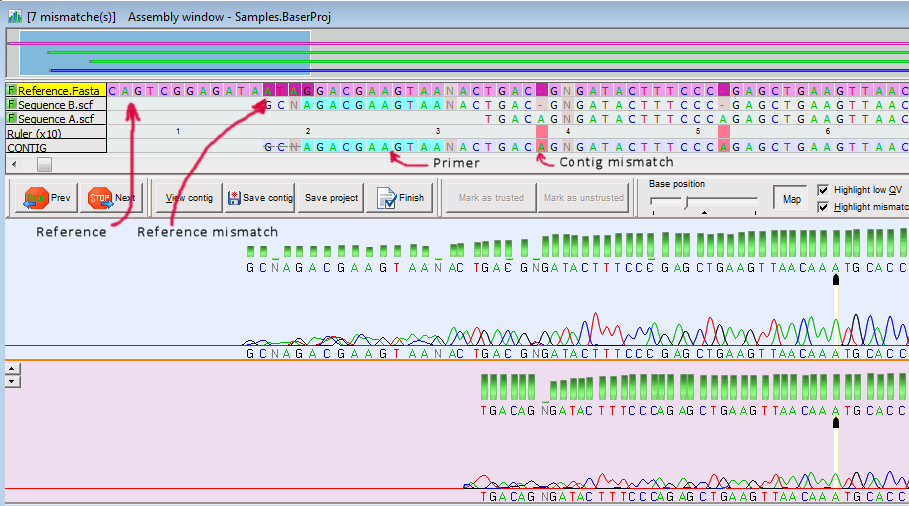
When a reference sequence is added to your project the assembly process will be a bit different:
- During the first step (alignment) the reference is treated like any of the other input sequences.
- During the second step (making consensus) the reference is used to give the direction and the length of the contig. Nucleotide differences between reference and input sequences are indicated in dark purple, but they are not taken into consideration when calculating the contig sequence.
- The direction of the reference is ALWAYS considered as 'forward'. Therefore, the contig will always have the direction of the reference.
To add the reference sequence to your project, drag and drop the desired sequence file in the 'Assemble to reference' panel located in the Project Manager. You can drag and drop sequence files from Windows Explorer or from inside DNA Baser (from Sample Explorer).

Tutorial - How to assemble to reference
|